
Start with the information you need
Describe the result in plain English even when you do not know the database's table or column names.
Schema Discovery
Find the tables and columns needed for a question when the database is unfamiliar. SQL Mocker analyses schema metadata, presents a focused table set for review, and uses the confirmed structure to generate multi-table SQL without connecting directly to your database.
Find structure from intent
You may know the information you need without knowing where it lives. Schema Discovery turns that request into a metadata-only search, then narrows the returned structure to the strongest candidates before you confirm anything.
Describe the result in plain English even when you do not know the database's table or column names.
Run a database-specific extraction script yourself and return only structural metadata to SQL Mocker.
Schema Discovery identifies the smallest likely set of tables and highlights the relevant columns for confirmation.
Schema Discovery workflow
Open Schema Discovery and choose the database platform so the metadata script uses the appropriate dialect.
Explain what you need in plain English. SQL Mocker generates a metadata extraction script for likely schema targets.
Copy the script into your own database tool, export the returned metadata, and attach it to Schema Discovery.
Confirm the relevant tables, columns, keys, and relationships, then ask the original question to generate multi-table SQL.
Oracle walkthrough
In this demo, SQL Mocker uses Oracle metadata to identify the relevant tables, columns, keys, and relationships. After review, it generates multi-table SQL for the original natural-language question and previews the result with dummy data.
Watch the Schema Discovery demo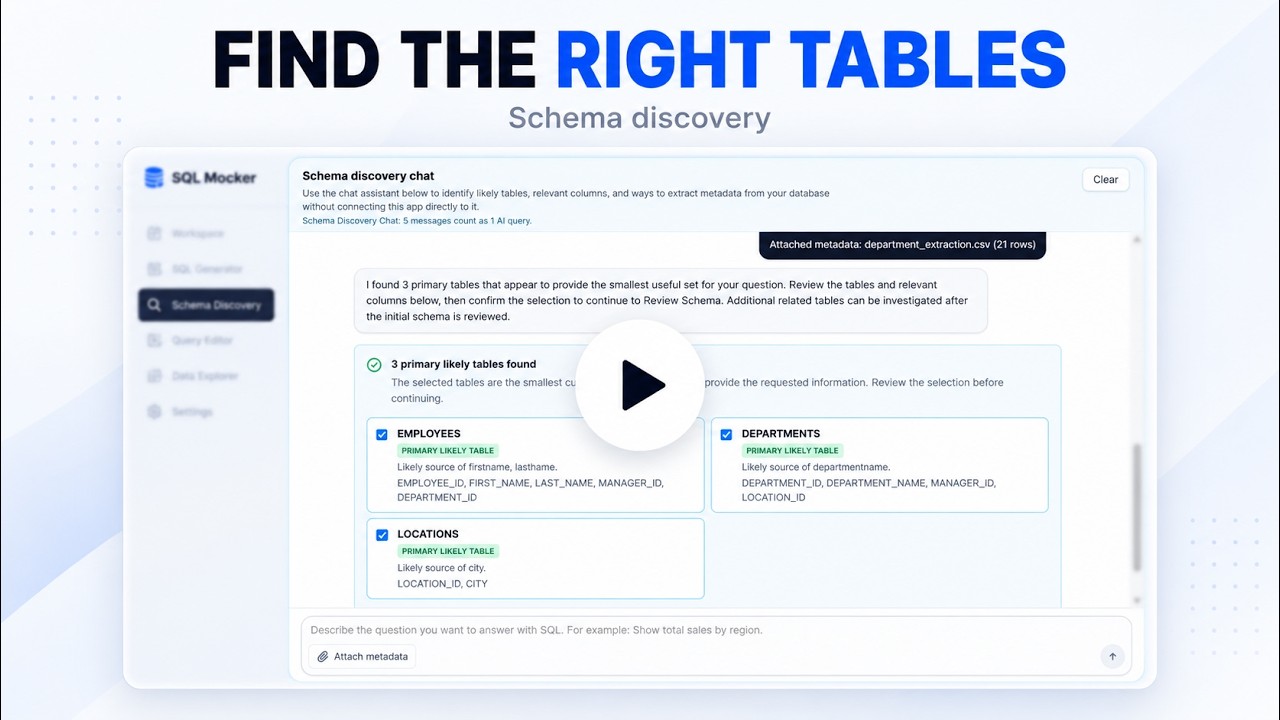
SQL Mocker does not require database credentials or access permissions. You run the generated extraction script in your own environment and return schema metadata such as table names, columns, data types, keys, and relationships. Production rows are not required for table discovery.
Open SQL Mocker, select Schema Discovery, and describe the information you need.